
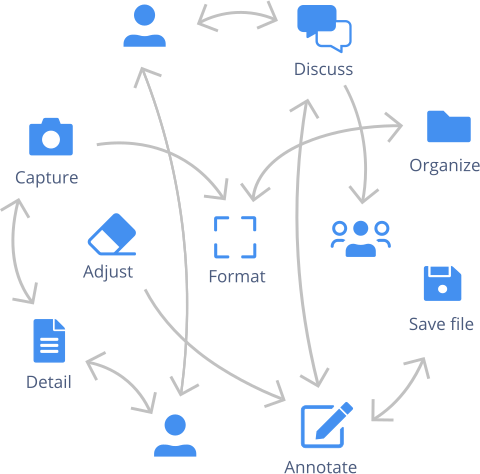
Tools like axe and WAVE are great at catching missing alt text and contrast failures. But they can't tell you whether a screen reader user can actually complete a purchase, whether the tab order makes sense, or whether error messages are clear enough for someone using assistive technology.
That expert review still happens in spreadsheets, annotated screenshots pasted into slide decks, and long email threads that lose context. The manual part of accessibility evaluation hasn't had a proper tool — until now.
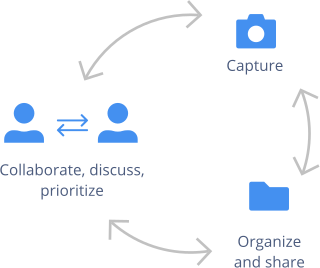
Capian gives accessibility experts a dedicated workspace to capture barriers as they browse, evaluate against WCAG criteria, and deliver prioritized findings that developers can act on — no spreadsheet assembly required.
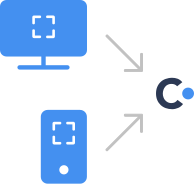
Use the Chrome extension to capture accessibility barriers in context — screenshot the issue, annotate it, and tag it with the relevant WCAG success criterion. No switching between the site, a spreadsheet, and the WCAG documentation.
Capian includes built-in WCAG 2.1 and 2.2 criteria so you can justify every finding with the specific guideline it violates. RGAA 4.1 is also built in for French compliance requirements. Custom criteria let you add EN 301 549, Section 508, or your organization's own standards.
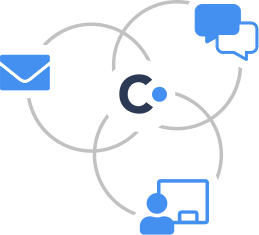
Assign severity levels to each barrier so your development team knows what to fix first. Share your evaluation with a link — developers see the screenshot, the annotation, the WCAG reference, and your recommended fix, all in one place.
No more back-and-forth emails asking "which page was that on?" or "what exactly is the issue?" The context travels with the finding.

As you evaluate, Capian assembles your findings into a structured report — organized by severity, tagged by criterion, with statistics on the types and distribution of issues found.
Whether you need to deliver a WCAG conformance review to a client, report to a compliance officer, or brief a development team on remediation priorities, the report is ready to share the moment you finish evaluating.
Evaluate against WCAG 2.1 or 2.2 success criteria — with descriptions and links to the official spec — without keeping the documentation open in another tab.
France's national accessibility standard is built in with all 106 criteria across 13 themes, linked to the official RGAA documentation. Custom criteria let you add EN 301 549, Section 508, or any internal standard.
Not all barriers are equal. Flag critical issues that block access separately from minor improvements, so remediation starts where it matters most.
Run your automated scan first, then use Capian for the expert evaluation that follows. Together, they cover the full spectrum of accessibility issues.
Developers and project managers don't need accessibility expertise to understand a Capian report. Each finding includes the problem, the context, and the recommended fix.
EU Accessibility Act, Section 508, RGAA, AODA — compliance requirements are growing. Capian helps you document your evaluation process and deliver the evidence organizations need.


