
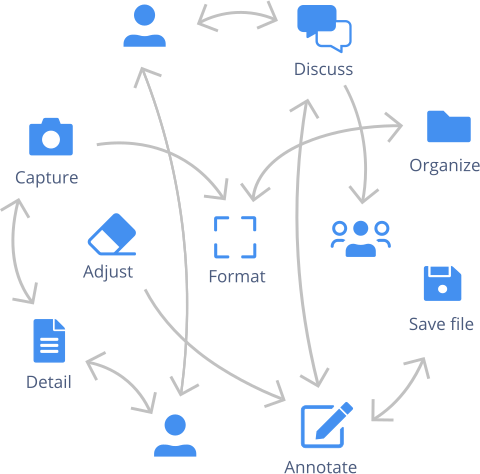
If you’re on the product team, you’re probably bouncing from one tool to another to grab screenshots and make annotations to upload to your product review. Not to mention the document formatting process.
Plus, once you’ve shared with colleagues and stakeholders, your review triggers an endlessly confusing thread of email replies that are completely out of context. These unnecessary steps aren’t exactly helping your team build better products.
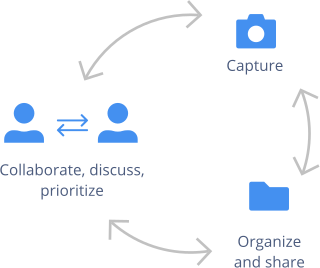
With Capian, you can work together in the same space to review your product and discuss improvements. Develop an efficient workflow and spend more time building.
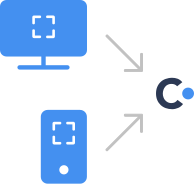
Get screenshots from your desktop with our Chrome extension, or on your phone with our mobile app. Simplify your process and focus on what matters.
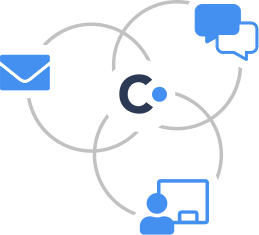
Your feedback is organized in a shareable file that’s always kept up to date. Save time scrolling your way through messy emails and avoid the headache of multiple document versions.
Give your team an opportunity to view improvements at a glance and get their input quickly, easily, and in context.

As industry professionals, we know how important cross-functional teamwork is when it comes to shipping great products.
With a tool that’s easy for everyone to use, regardless of their expertise (marketing, design, development, or management), you can break the silos and work together to build better products as a team.
Deliver products quickly with streamlined processes and an efficient workflow.
Create a review for each Sprint Review to track product evolution, notes, and decisions.
Propose improvements, exchange ideas, share input, organize feedback, and prioritize as a team.
Whether you use Agile, Scrum, Kanban or prefer to run Lean with no strings attached, Capian helps product teams work efficiently.
Test screens while in development, staging or production. Validate user stories, user acceptance tests, or document system migration results.
Capture, organize, and prioritize feedback with Capian. Then, export selected improvements to Jira, GitHub, or GitLab.
Personalize your review criteria or use the existing UX criteria and best practices built into Capian.
Add tags to your captures to organize your feedback and make searching a breeze.
Get in touch — we’re always adding new features to cover your product needs.